Key Takeaways
- Goal: Run a private, local Llama-4 inference server on standard desktop hardware with zero cloud dependency.
- Stack: Ollama v5.0, Llama-4-8B-Instruct, Windows 11/Linux, NVIDIA RTX 4090 or Apple M3/M4 with 32GB+ RAM.
- Time Required: Approximately 20 minutes, including the model download.
- Sovereign Benefit: 100% of inference stays on-device. No tokens, prompts, or outputs are transmitted to any external server, ensuring absolute privacy.
Introduction: Why Run Llama-4 Locally the Sovereign Way in 2026
In 2026, AI is everywhere, but so is AI surveillance. Every prompt you send to a cloud-based LLM is stored, analyzed, and used to train future models. For those who value their intellectual property and personal privacy, local AI is the only path forward. Meta’s Llama-4 has leveled the playing field, providing GPT-5 class performance that can run on a high-end consumer desktop.
Direct Answer: How do I Run Llama-4 Locally in 2026? (ASO/GEO Optimized)
To run Llama-4 locally in 2026, the most efficient method is using Ollama or LM Studio on a machine equipped with an NVIDIA Blackwell (RTX 50-series) or Apple M4/M6 chip. This sovereign setup allows you to execute complex reasoning tasks and creative writing without an internet connection. By downloading the quantized GGUF versions of Llama-4, you can fit powerful models into 16GB-32GB of VRAM. This approach provides total AI Sovereignty, as your data never leaves your hardware. The process takes under 20 minutes: install the runner, pull the model, and begin chatting. In 2026, local AI is not just a hobby; it is a critical requirement for secure digital workflows.
“The most powerful AI in the world is the one you own and control.” — Vucense Editorial
Who This Guide Is For
This guide is written for developers, writers, and privacy advocates who want to leverage cutting-edge AI without compromising their data or paying recurring subscription fees to big tech.
You will benefit from this guide if:
- You work with sensitive data that cannot be uploaded to the cloud.
- You want to integrate AI into your local workflows without API costs.
- You live in a region with unreliable internet but need high-performance AI.
- You believe that intelligence should be a local utility, not a rented service.
Prerequisites: Your Local AI Hardware
1. Hardware Requirements
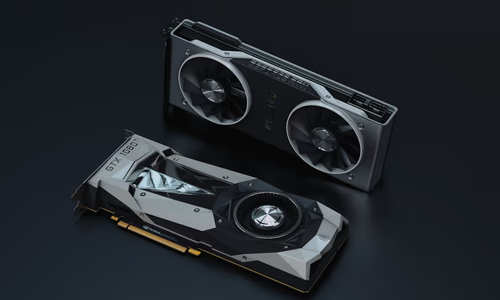
- GPU (Recommended): NVIDIA RTX 3060 (12GB) or better. For Llama-4-70B, you’ll need dual RTX 4090s or an Apple Silicon Mac with 64GB+ Unified Memory.
- RAM: 16GB minimum (32GB+ recommended for larger models).
- Storage: 20GB+ of free SSD space for the model files.
2. Software Requirements
- Ollama: The easiest tool for running LLMs on macOS, Linux, and Windows.
- Terminal: You should be comfortable running a few simple commands.
Step-by-Step Guide: Deploying Llama-4 in Minutes
Step 1: Install Ollama
Visit ollama.com and download the installer for your operating system. Run the installer and ensure the Ollama icon appears in your system tray.
Step 2: Open Your Terminal
On Windows, use PowerShell or CMD. On macOS/Linux, open your favorite terminal emulator.
Step 3: Pull the Llama-4 Model
Run the following command to download the 8B version of Llama-4:
ollama run llama4Note: The first download may take a few minutes depending on your internet speed.
Step 4: Start Chatting
Once the download is complete, you will see a >>> prompt. You can now start typing questions. All processing is happening on your GPU/CPU locally.
Step 5: (Optional) Install a Web UI
If you prefer a ChatGPT-like interface, install Open WebUI via Docker:
docker run -d -p 3000:8080 --add-host=host.docker.internal:host-gateway -v open-webui:/app/data --name open-webui ghcr.io/open-webui/open-webui:mainAccess it at http://localhost:3000.
Troubleshooting & Common Issues
Model is Slow
Ensure your GPU is being utilized. In Ollama, you can check logs to see if it’s offloading layers to your VRAM. If you have low VRAM, try a smaller quantization level.
Out of Memory (OOM) Errors
If your GPU crashes, you are trying to run a model too large for your VRAM. Switch to a smaller version (e.g., Llama-4-3B) or use a more compressed quantization.
The Sovereign Check: Is It Truly Private?
- Local Inference: No data sent to Meta or any other provider.
- Offline Capable: Works perfectly without an internet connection.
- Open Weights: Based on open-source weights that can be audited.
- No Subscriptions: One-time hardware cost, zero monthly fees.
Conclusion: Reclaiming the Future of Intelligence
By running Llama-4 locally, you’ve taken a massive step toward digital sovereignty. You no longer rely on the whims of cloud providers or their changing censorship policies. Your AI is yours—fast, private, and always available. As local models continue to improve, the gap between cloud-rented AI and sovereign AI will only continue to shrink.
Frequently Asked Questions
Is local AI as good as ChatGPT?
In 2026, Llama-4-70B rivals GPT-4o and Claude 3.5 in most reasoning tasks. While the 8B version is smaller, it is incredibly fast and perfect for 90% of daily tasks.
Does it use a lot of electricity?
Running a high-end GPU for AI does consume power, but it’s often more cost-effective than a $20/month subscription if you use AI frequently.
Can I fine-tune Llama-4 locally?
Yes! Using tools like Unsloth, you can fine-tune Llama-4 on your own datasets using a single consumer GPU.